Client Portal
Simplify client communication
Buildertrend’s Client Portal offers you an easy, transparent way to set expectations, communicate daily with clients and use AI to provide weekly project updates.

Offer a better client experience
AI-powered Client Updates
Generate weekly updates to ensure transparency and foster collaboration without extra effort.
Transparent communication
Keep clients involved throughout the construction process with communication features like Daily Logs, Messages and Chat.
Centralized collaboration
Easily share project details, answer questions, showcase selections, send invoices and collect payments in one place.
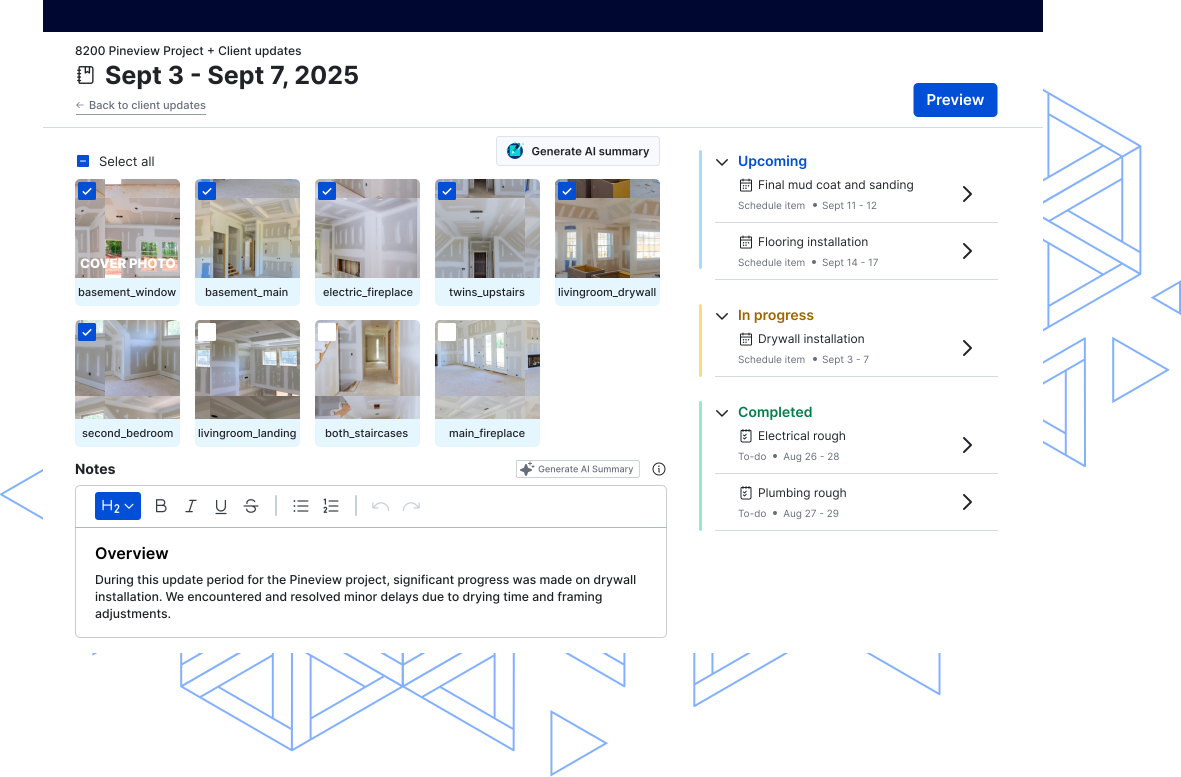
Create effortless weekly updates with Generate AI Summary
With the Generate AI Summary tool, creating a weekly project updates is as simple as clicking a button. AI compiles a clear outline of key progress points and summarizes the information added by your team each day. This eliminates the need to start from scratch and adds valuable time back to your day.
Buildertrend’s features work together to keep clients informed
Project updates and messaging
Buildertrend has many forms of communication that work cohesively to ensure effective Client Updates. Two key features that help to keep clients informed on their projects are Daily Logs and the Schedule.
In the Schedule feature, clients can see how the project is moving along and what’s coming up next. They can also leave comments and ask any questions pertaining to each phase.
Daily Logs help keep clients informed with site progress updates, photos and notes from your team. They also include weather reports and allow project managers to flag delays, ensuring transparency every step of the way.
These features work together to ensure the weekly Client Update has all the essential information.
Transparent finances and payments
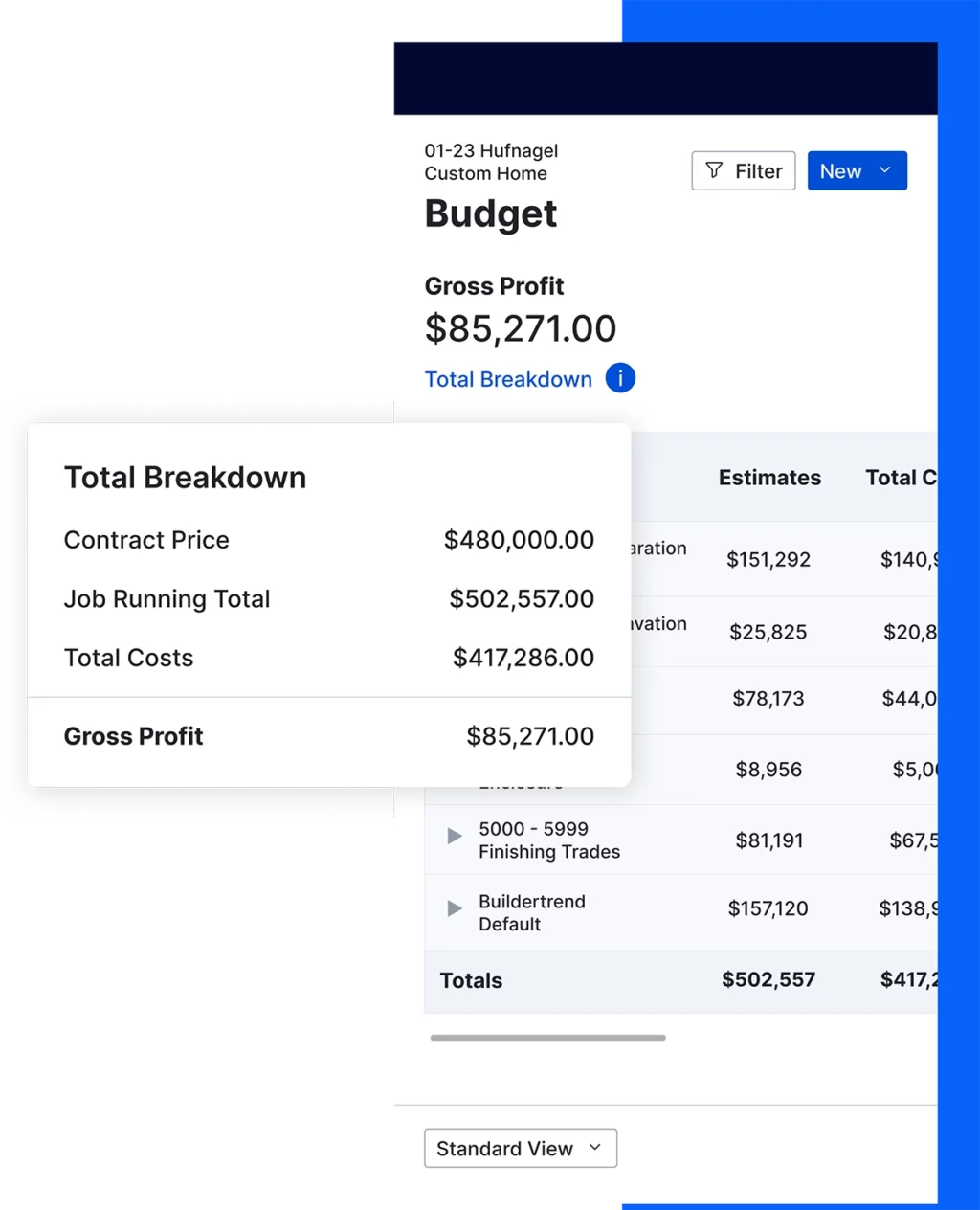
Financial features like the Budget, Invoicing and Bills are important to have in a Client Portal to provide transparency into the cost. Clients are invested in their project and want to see where their money is going.
Buildertrend’s Client Portal shows homeowners budgeted numbers, invoices and bills if you allow them to, which can be crucial for open book projects. Clients feel at ease when these documents are available to them.
Krueger Brothers Construction found one of its first successes in Buildertrend through the ability to offer online payment options.
“Using credit card and ACH payments inside Buildertrend is super powerful,” said Michael Krueger, co-owner of Krueger Brothers Construction. “Clients are able to pay directly from the Client Portal. So, seeing the payments reflected in Buildertrend has been super helpful. And having a credit card option is great for clients who aren’t quite ready to write a full check.”
Selections
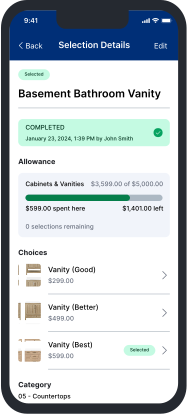
Intentionally planning and organizing selections can make the process more enjoyable for your and your clients. Within the portal, homeowners can view and interactively choose products for their project. They can see allowances and deadlines and sign for selections within the platform. By storing all selection information here, your team, subs and clients all have visibility to help keep your jobs moving quickly.
Managing selections can be a challenge for many businesses but can be made easier with construction software. Cardinal Crest Homes says Selections is one of the most-used tools for their team and an essential part of the client journey.
“It’s an invaluable tool that helps us do our job efficiently internally while showcasing professionalism externally to our clients,” said Joe Christensen, co-founder of Cardinal Crest Homes.
Convenient change order process
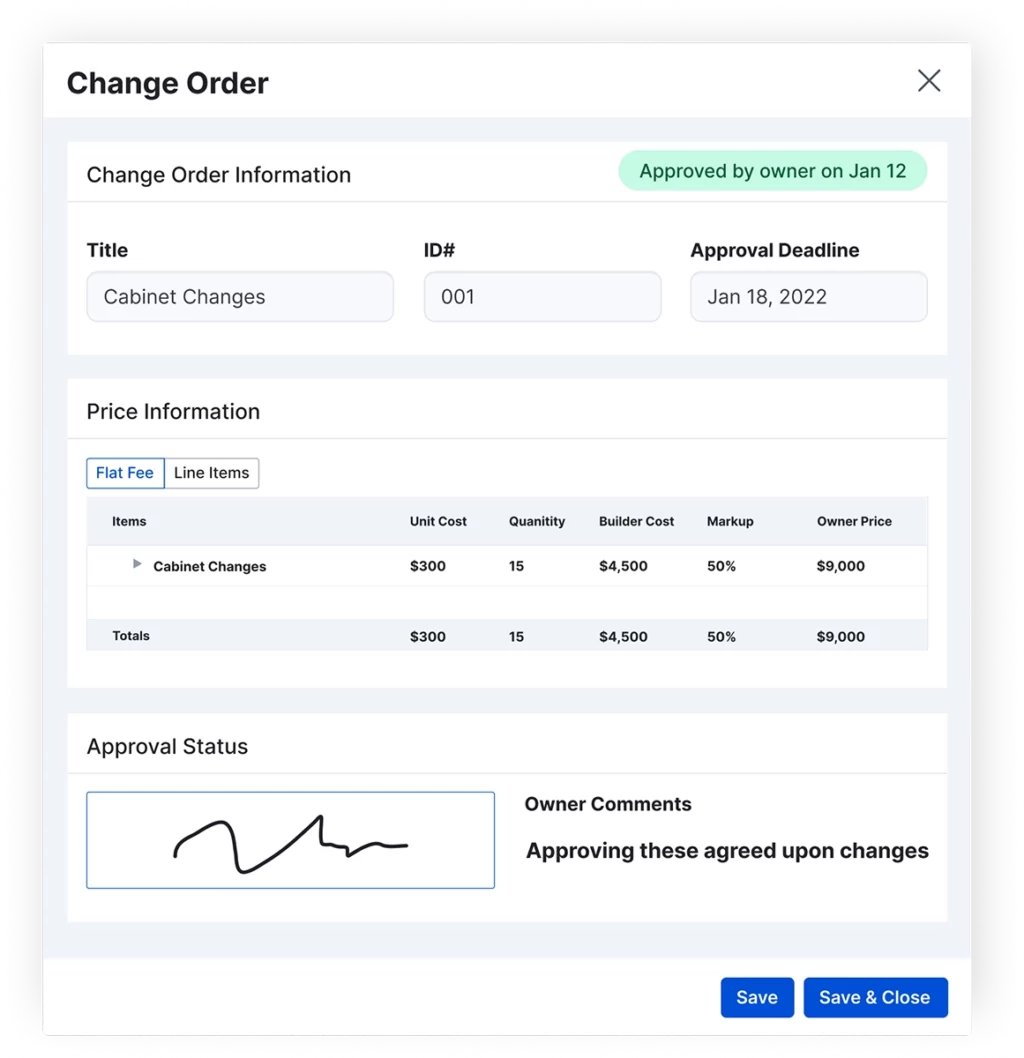
To enhance the client experience even further, you can use the Change Order feature within the portal. Sharing change orders with clients through a clear and organized process in Buildertrend is a huge help for businesses like Wamhoff Design | Build.
“I definitely like the change order process,” said Theresa Meyer, operations manager. “It keeps everything crystal clear and allows clients to go in and approve them electronically. The change order then becomes an official contract document that can be invoiced directly, which is a super nice feature.”
Customizable client dashboard
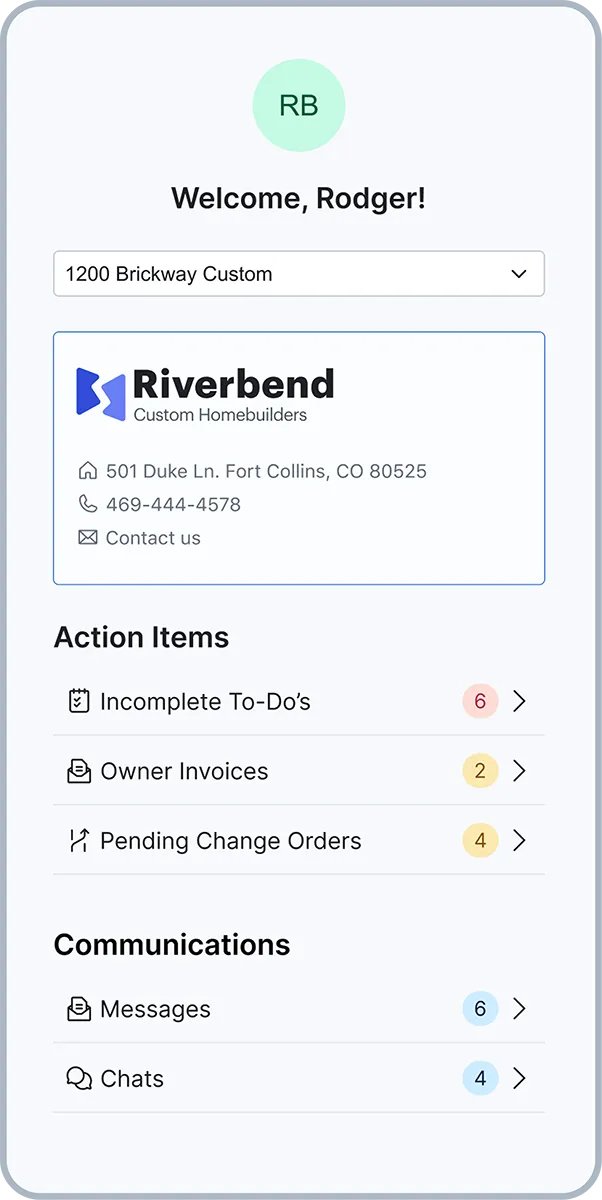
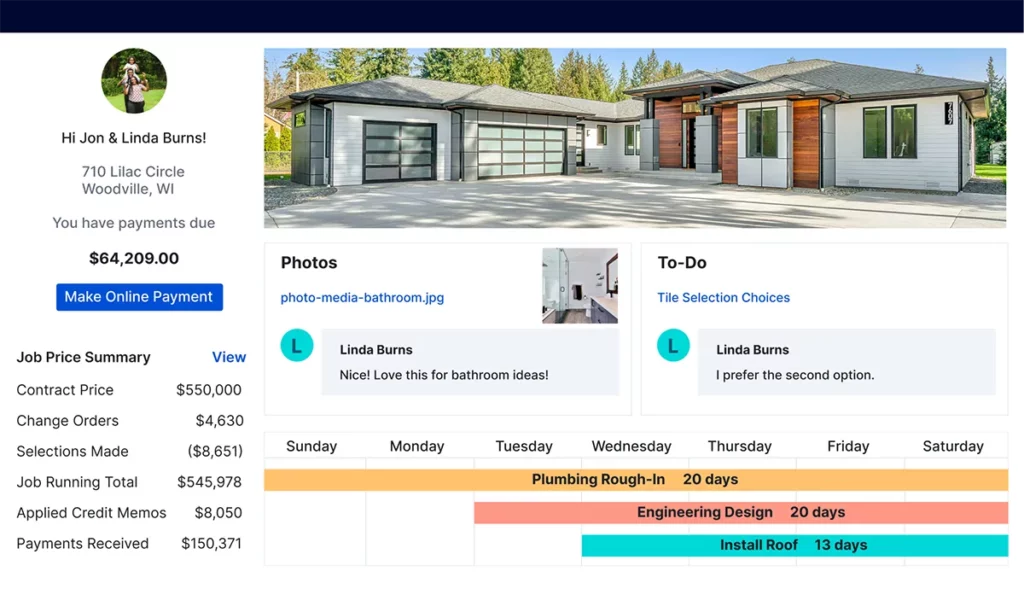
When using the Client Portal, you want the ability to customize what your clients can see. Some builders want their clients to have access to the budget while others don’t. Either way, with an adaptable platform, you’re able to decide the client view that works best for your business.
To customize Buildertrend’s Client Portal, you can input your company’s custom branding and create a seamless look. Your portal will look like your own and not a third-party platform. This ensures your branding stays consistent, and your construction business is always presented in a professional way.
Ready to enhance your client experience?
Schedule a demo with our team to learn more.


Client portal software FAQs
The easiest way to start using a construction client portal is to invest in software that has one. After that, you’re able to simply add client contact information into the system and invite them to participate. From there, they can set up their own password to their portal. You, as a builder, can customize which aspects of the project the client can see when logging in.
The purpose of a construction client portal is to be transparent with your clients and allow them to see project updates. It’s a central location for all project data, including a budget, schedule, selections and photos. It’s also used as a streamlined communication tool between a construction company and its client.
In a client portal, you want the option to share the project progress with your client through a schedule and photos. You’ll want to choose a portal that has a user-friendly interface so clients can make selections, sign documents and communicate effectively with you. A construction client portal app is also valuable to have so your clients can access information right from their smartphone.
A construction client portal is a secure online platform that serves as a one-stop shop for project information. Clients can log in and see the latest updates on their project through progress photos, a view of the project schedule and budget details. They’re able to sign proposals and make selections on their own. The portal also serves as a communication tool between the construction crew and the homeowners. With access to this portal, clients know what’s going on with their investment and feel like a part of the project.
Client portals are a quick and easy way to tell homeowners which stage their project is at through daily logs, photos and more. It saves builders time on the phone because all communication is done through the portal. Homeowners have fewer questions when information is available to them up front. Less time spent taking phone calls from clients means builders can focus on executing the project at hand.
The construction client portal also serves as a staple for a company’s sales pitch to prospective clients. This tool can help builders win more jobs because clients value transparency and trust, and having access puts them at ease.
The portal provides a wealth of project-related data, including project schedules, progress reports, budget and expense tracking, change orders, design documents and more. It also facilitates communication with the team and allows for feedback and requests.
In Buildertrend, the Client Portal can be customized so builders can decide which pieces of information they would like their clients to have access to. For example, you may not want your clients to have access to the budget. So you can simply turn that feature off while allowing them to see other things like photos and documents. With these choices, the builder can make the portal their own to fit their business.
The information in the portal is updated in real time. As soon as progress is made, documents are uploaded or changes occur, the portal will reflect those updates, allowing clients to stay informed throughout the construction process.
Schedule a demo
Set aside 30 minutes to chat with a friendly Buildertrend rep and discover firsthand how our platform can improve your business – and transform the way you work.

Based on 5,000 reviews on




Tell us a bit about yourself
By submitting this form, you are agreeing to our Terms and Conditions Agreement and Privacy Notice. This site is protected by Google reCAPTCHA